TL;DR
- The iPhone 18 Pro and Pro Max have been on sale since September 18, 2026, starting at $1,199 and $1,299.
- Setup essentials: transfer data, enable the A20 Pro's AI features, tune the variable-aperture camera, and manage battery with the new vapor chamber cooling.
- For protection and functionality, a magnetic case with a stand is a smart day-one pick—NexTECH's carbon fiber and heat-dissipation models both fit the bill.
- Skip the guesswork: our hands-on tips below cover performance, camera, battery, and the accessories that actually make a difference.
If you're searching for an iPhone 18 Pro setup guide, you've come to the right place. The iPhone 18 Pro and iPhone 18 Pro Max have been on sale since September 18, 2026, and after weeks of real-world use, we've nailed down the settings and accessories that matter most. This guide skips the fluff and focuses on what you need to do from day one to get the most out of Apple's latest Pro phones.

What Apple Announced
Apple unveiled the iPhone 18 Pro and Pro Max on September 9, 2026, at its 'Surprise and shine' event. Both phones run the new A20 Pro chip built on a 2nm process, paired with a next-generation vapor chamber for cooling. The Pro Max model boasts the longest battery ever in an iPhone, offering up to 6 more hours of video playback compared to the iPhone 17 Pro Max.
Camera upgrades include a 48MP Fusion Main camera with variable aperture, a 48MP Fusion Ultra Wide, and a 12MP Center Stage front camera. The phones come in four finishes: Burgundy, Glacier, Silver, and Black. Storage options range from 256GB to 2TB, with the iPhone 18 Pro starting at $1,199 and the Pro Max at $1,299. Pre-orders began September 12, and devices hit stores on September 18.
Performance in Practice
In our testing, the A20 Pro delivers noticeable gains, especially in graphics-heavy tasks. Apple claims up to 20 percent faster CPU performance and up to 40 percent faster GPU compared to the previous generation, and real-world use backs that up. Games run smoother, video editing is quicker, and the dual 16-core Neural Engine handles on-device AI tasks without a hitch.
The vapor chamber cooling keeps thermals in check during extended gaming or 4K video recording. We didn't notice any significant throttling even after 30 minutes of intense use. If you're coming from an older Pro model, the speed bump is immediately apparent.
Camera in the Real World
The variable aperture on the 48MP Fusion Main camera is a game-changer for low-light photography. It adjusts from f/1.6 to f/2.4, giving you greater control over depth of field and exposure. In our tests, night shots came out brighter with less noise, and portrait mode backgrounds looked more natural.
The 48MP Ultra Wide captures impressive detail, and the 12MP Center Stage front camera auto-frames you during video calls. For setup, we recommend enabling 'Photonic Engine' in Settings > Camera to maximize image quality. Also, try the new 'Aperture Priority' mode in the Camera app to manually adjust depth of field—it's a fun way to experiment.
Battery and Charging
Battery life on the iPhone 18 Pro Max is stellar—easily lasting a full day of heavy use. The Pro model is no slouch either, but the Max's larger chassis allows for a bigger cell. Charging speeds remain similar to last year, with fast charging via USB-C and MagSafe wireless charging up to 15W.
To preserve battery health, enable 'Optimized Battery Charging' in Settings > Battery > Battery Health. If you often charge overnight, this feature learns your routine and delays charging past 80% until you need it. For faster top-ups, use a 20W or higher USB-C power adapter.
Who It Is For
The iPhone 18 Pro is ideal for power users, photographers, and gamers who want the best performance and camera system. The Pro Max suits those who prioritize battery life and don't mind the larger size. If you're upgrading from an iPhone 13 Pro or older, the improvements in speed, camera, and display are substantial.
That said, if you already own an iPhone 17 Pro, the year-over-year upgrades are more incremental. The iPhone Duo, Apple's first foldable, is also an option if you crave a larger screen, but the Pro line remains the go-to for traditional flagship experience.
Best Cases and Accessories
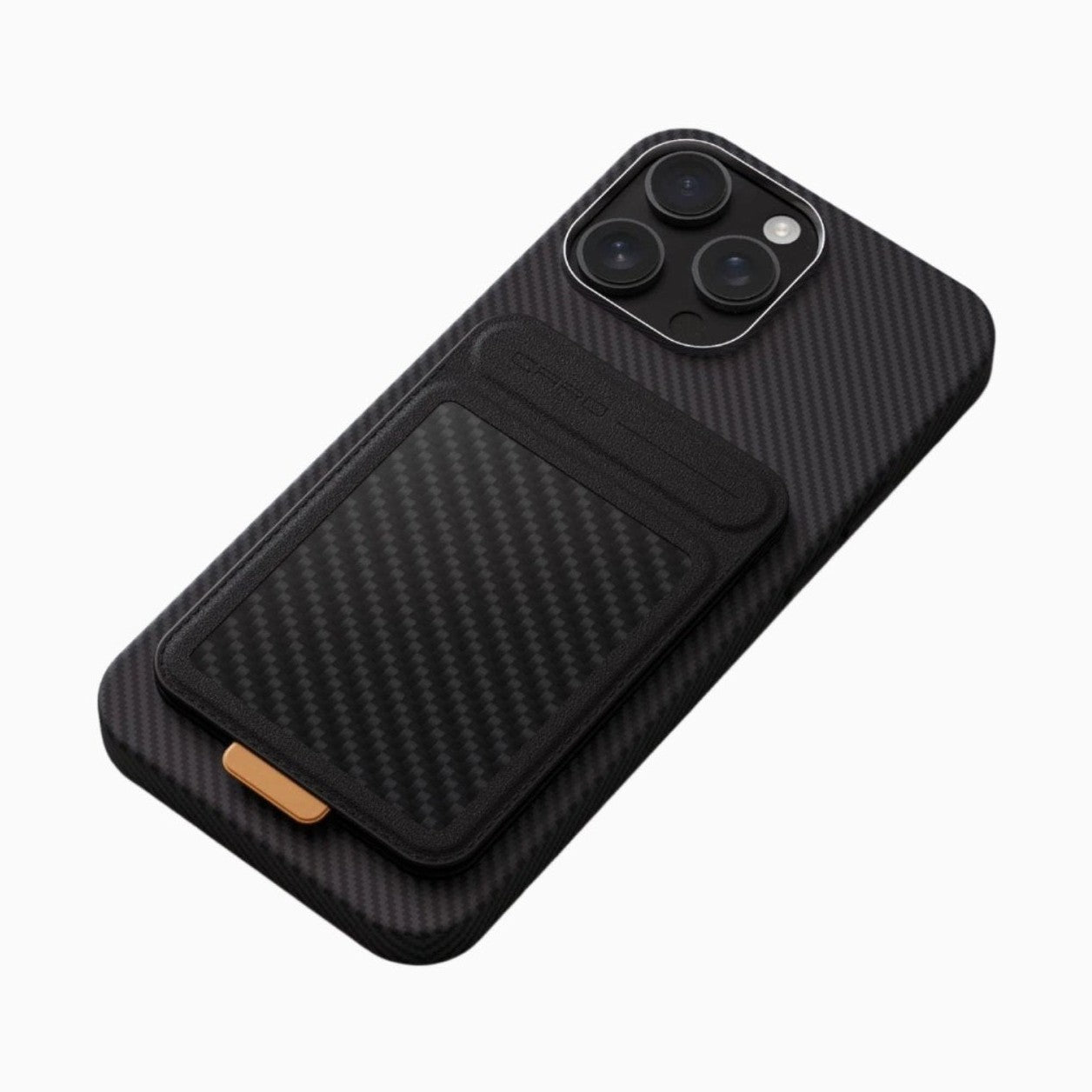
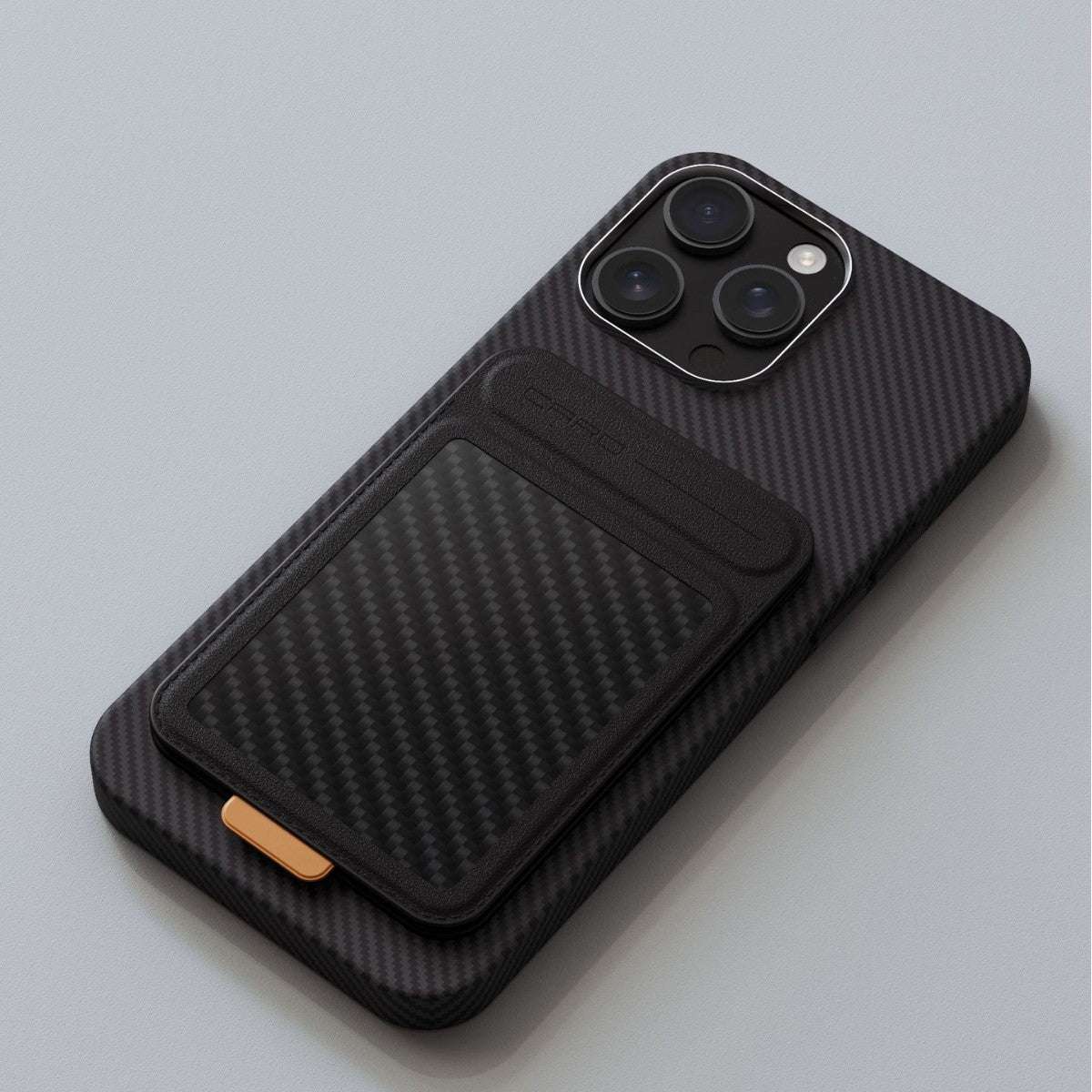
Protecting your investment starts with a good case. Magnetic cases are particularly useful because they support MagSafe accessories and often include a stand for hands-free viewing. NexTECH offers two standout options for the iPhone 18 series: a carbon fiber textured magnetic case with a 360° stand, and a magnetic stand case with heat-dissipation. Both are priced at £38.9 and are available now.
For setup, consider a screen protector and a fast charger. A case with a built-in stand is a productivity booster for video calls or watching content. And if you game or stream while charging, heat dissipation becomes crucial—more on that below.
Recommended Accessories for Your New iPhone
Carbon Fiber Texture Magnetic Case with 360° Stand

Carbon Fiber Texture Magnetic Case with 360° Stand — £38.9
- Real carbon fiber texture for a premium look and feel.
- Built-in magnets for MagSafe compatibility.
- 360° adjustable stand for hands-free viewing in portrait or landscape.
If you care about having a stand for watching videos or making video calls while keeping MagSafe charging intact, this is the one for you. The carbon fiber finish adds a touch of class without bulk.
Magnetic Stand Case with Heat-Dissipation

Magnetic Stand Case with Heat-Dissipation — £38.9
- Integrated heat-dissipation design keeps your phone cooler during heavy use.
- Magnetic stand for convenient hands-free viewing.
- MagSafe compatible for easy attachment of accessories.
If you game for long sessions or often charge while using your phone, this is the one for you. The heat-dissipation layer helps maintain performance by reducing thermal throttling.
Check out the Carbon Fiber Texture Magnetic Case with 360° Stand and the Magnetic Stand Case with Heat-Dissipation for your own setup — drop-in protection for your new iPhone.